
How to Review Your Website on a Mobile Device in 2026
Think about the last time you looked something up. Chances are, you didn’t walk over to a desk and open a laptop—you pulled your phone out of your pocket. In 2026, almost everyone does the same. This means if your website isn't easy to use on a small screen, you’re basically closing your front door on most of your visitors.
Reviewing your site regularly isn't just about fixing bugs; it's about making sure your digital home feels welcoming. Here’s how to do a quick check-up without the tech headache.
I tell agents this all the time: if you want to understand why your website isn’t bringing in leads, stop looking at it like an agent and start looking at it like a client. Pull it up on your phone and pretend you’re a buyer. Try to search for homes. Try to contact the agent. Try to figure out what to do next. If it feels confusing or clunky to you, imagine how it feels to someone who doesn’t work in real estate.
This is one of the biggest mistakes I see agents make. They assume having a website means they have an online presence. But just having a website doesn’t mean it’s actually working for you.
The top agents in this industry understand something very simple: you can’t rely on one source for your business anymore. Referrals are great. Your brokerage site is helpful. Social media can bring attention. But your own website is the one place online that you actually control. It’s your digital office. It’s where buyers can search homes, where sellers can learn about you, and where Google decides whether to send traffic your way.
As real estate coach Tom Ferry often says, if buyers don't see you, you don't exist. And right now, a lot of agents are helping Zillow grow instead of growing their own brand.
That’s why the quality of your website matters more than most agents realize. In my opinion, when it comes to real estate websites that are actually built for agents, iHouseWeb does this better than most. The platform is designed specifically for real estate, which means things like property search, lead capture, and mobile experience are already built to work together.
A lot of agents try to piece together a website using third-party IDX plugins like IDX Broker or iHomefinder. The issue is those are add-ons. They’re not complete systems.
When you start stacking

plugins and tools, things get slower, more complicated, and harder for agents to manage.
The truth is, most agents don’t want to become web developers. They just want a site that works, shows homes, and helps people contact them easily.
So here’s a simple thing I recommend doing today. Open your website on your phone and ask yourself a few honest questions. Can you find homes easily? Does the site load quickly? Is it obvious how someone would contact you? Can someone request a showing without digging around?
If the answer to those questions is no, that’s a fixable problem. It just means your website needs a little attention.
I actually put together a short guide that walks through how agents turn their websites into real lead generators instead of just online business cards. If you want it, you can download the mini guide here. It breaks things down in plain language and shows you exactly what to look for.
And if you’re curious why Google often sends your potential clients to big portals instead of your site, you should also read the article I wrote called “Should You Use Your Broker's Free Website?” It explains what’s really happening behind the scenes and what agents can do about it.
If you want, we can also take a quick look at your website together. I’m happy to walk through it with you and show you what’s working, what’s not, and what simple changes can make the biggest difference.
Because at the end of the day, your website shouldn’t just exist. It should help your business grow.
Do This Quick 3-Step Website Check
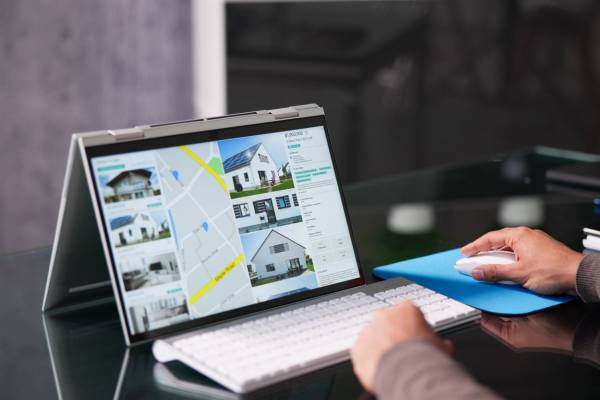
If you want to know whether your website is helping your business or quietly losing clients, do this simple test on your phone.
1. Open your website on your phone and look at it like a client.
Don’t think like an agent. Think like a buyer or seller who just found you online.
Ask yourself:
• Is the text easy to read?
• Does the page load quickly?
• Are the buttons big enough and easy to tap?
• Can you quickly figure out what to do next?
• Is it obvious how someone would contact the agent?
If any of this feels frustrating or confusing, visitors are probably leaving your site. Most people decide within 3–5 seconds whether they’re staying or moving on.
2. Try searching for homes like a buyer would.
Most visitors come to a real estate website for one reason: to look at homes.
Test it the same way they would.
• Search for homes in your area
• Filter by price or property type
• Click into a few listings
Pay attention to how it feels. Is it smooth and easy, or slow and confusing? If the experience isn’t simple, buyers will usually head to the next site they trust.
3. Try to contact yourself.
Now pretend you’re ready to ask a question about a home.
See how easy it is to reach the agent.
• Can you call quickly?
• Is there a simple message form?
• Can someone easily request a showing?
If someone has to dig around to find contact information, they won’t. They’ll simply move on to the next agent they can reach faster. Online, convenience always wins.
Next Steps:
👉Book a consultation and let’s map out your next move.
Your online presence should work as hard as you do. Let’s build something that helps you grow.
